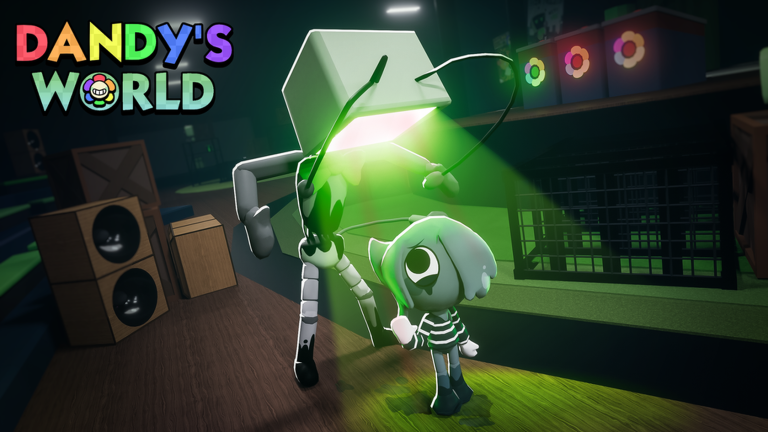
Dandy's World Game Crash and Freeze: How to Fix Lag Issues
Experiencing a Dandy's World game crash and freeze? Discover effective troubleshooting steps to optimize your Roblox experience and keep playing smoothly.
Published:
Table of Contents
Struggling with a persistent Dandy's World game crash and freeze during your latest session? Nothing ruins the thrill of surviving a floor in BlushCrunch Studio’s hit Roblox horror game quite like a sudden screen jitter or a complete application shutdown.
Understanding why these technical hiccups occur is the first step toward reclaiming your gameplay. Whether you are stuck on a loading screen or facing mid-game stutters, this guide will walk you through the most effective ways to stabilize your performance and get back to the action.
Why Does Dandy's World Crash and Freeze?
Technical instability in Roblox titles often stems from a combination of hardware limitations, software conflicts, and server-side traffic. When you encounter a Dandy's World game crash and freeze, it is rarely the result of a single factor.
Based on community reports, many players notice these issues appearing during high-intensity moments, such as reaching floor 15 or higher. As the game environment becomes more complex—with more Twisteds, active machines, and visual effects—the demand on your device’s processing power increases significantly.
Common Performance Triggers
Trigger
Impact Level
Why It Happens
High Floor Count
High
Increased entity count and complex pathfinding calculations.
Background Apps
Medium
Consumes RAM that Roblox needs to render assets.
Outdated Graphics
High
Compatibility issues with rendering engines.
Connection Spikes
Low
Causes jittering rather than a hard crash.
Troubleshooting Steps for Better Stability
If you find yourself frequently dealing with a Dandy's World game crash and freeze, start by optimizing your local environment. Roblox is a platform-dependent engine, meaning your device’s health directly dictates your success in the Gardenview Center.
1. Adjust In-Game Graphics Settings
The most common culprit for frame drops and eventual freezes is the graphics quality. If your device is struggling to keep up, the game will stutter.
Press Esc while in-game.
Navigate to the Settings tab.
Switch Graphics Mode to "Manual."
Lower the Graphics Quality to 1 or 2 bars.
By reducing the visual load, you free up resources for the game to process core mechanics like Ichor collection and Twisted AI movement.
2. Clear Your Roblox Cache
Over time, temporary files can become corrupted, leading to the dreaded "stuck on loading screen" issue reported by several players.
Close the Roblox application entirely.
Navigate to %localappdata%\Roblox\downloads on your PC.
Delete the contents of the folder.
Restart the Roblox launcher.
Performance Check
If you are playing on a mobile device or console, ensure your operating system is updated to the latest version. Older firmware can lead to significant memory leaks in high-demand Roblox experiences.
Hardware and Network Considerations
Sometimes, the issue isn't the game itself, but how your machine handles the data stream. If you are experiencing a Dandy's World game crash and freeze, consider the following hardware-focused solutions.
Managing System Resources
Players on low-end devices often report that the game "jitters" before freezing. This is a classic sign of memory starvation. Ensure you have no other applications running in the background—especially web browsers with multiple tabs open, as these are notorious RAM hogs.
Network Stability
While connection issues usually result in "lag" rather than a hard crash, a poor connection can cause the game client to hang while waiting for server verification.
Use a wired Ethernet connection if possible.
Avoid playing on public Wi-Fi networks which may have restrictive firewalls.
To effectively report a bug to the developers at BlushCrunch Studio, you need to identify the pattern. Are the crashes happening at specific floors? Are they tied to a specific Toon or Trinket?
Crash Pattern Checklist
Scenario
Likely Cause
Suggested Action
Crash at Floor 15+
Memory overflow
Lower graphics settings immediately.
Crash during lobby load
Corrupt cache
Reinstall or clear temporary files.
Jittery movement
Network lag
Reset your router/check ping.
Freeze during animation
Asset loading error
Update graphics drivers.
If you notice that your game consistently fails at a specific point, document it. Providing precise details to the community or developer support channels is far more effective than simply noting that the game is "broken."
Community Insights and Support
The community is often your best resource for troubleshooting. Many players have shared their experiences on the Dandy's World Wiki, where users discuss everything from common bugs to complex game mechanics.
If you find that your issue persists despite following all technical guides, it is highly likely that the problem is server-side. Occasionally, the developers release patches that might inadvertently cause stability issues for specific device configurations. In these cases, patience is key—the community often reports these issues quickly, leading to rapid hotfixes.
Frequently Asked Questions (FAQ)
Q: Why does my game keep freezing at high floors?
A: A Dandy's World game crash and freeze at higher floors is often due to the increased load of multiple Twisteds and environmental objects. Try lowering your graphics settings to reduce the stress on your device.
Q: Is there a way to prevent screen jittering?
A: Screen jittering is usually a sign of performance drops or network instability. Close background applications and ensure your internet connection is stable to smooth out the gameplay.
Q: Should I reinstall Roblox if the game doesn't load?
A: If you are stuck on the loading screen, clearing your cache is the first step. If that fails, a clean reinstall of the Roblox client can often resolve persistent file corruption issues.
Q: Can specific Toons or items cause crashes?
A: While rare, certain high-particle-effect skins or items can cause performance drops on lower-end devices. If you notice a crash every time you equip a specific item, try playing without it to see if stability improves.